Cart drawer
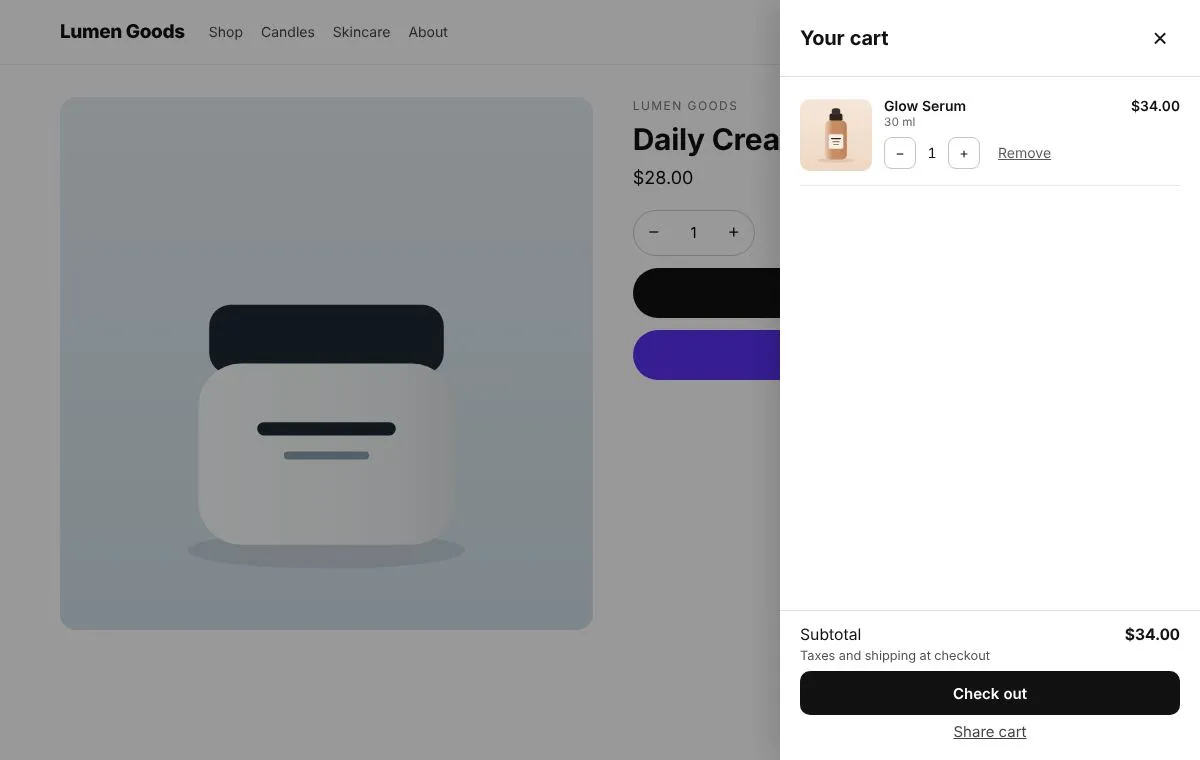
A slide out cart with Shop Pay / Apple Pay buttons, the best discount applied, and a shareable cart link.
For stores that want a slide out cart instead of a cart page.
Included on the Free plan
What you can set
- Opens on add to cart and from the cart icon
- Express checkout buttons like Shop Pay and Apple Pay
- Applies the best discount from codes you list
- A shareable cart link and a remembered cart
- Offers and the free shipping bar inside it
How to set it up
- Install CRO Toolbox from the Shopify App Store.
- Open Cart → Cart drawer in the app, pick a template and set it up with the live preview.
- Click Add to theme: the theme editor opens with the block ready. Place it and save.
Ready made looks in the app
- Clean white
- Dark
- Soft rounded
- From the left
Step by step help: Your cart: drawer, offers, gift note and free shipping bar →
Questions about Cart drawer
What does Cart drawer do in CRO Toolbox?
A slide out cart with Shop Pay / Apple Pay buttons, the best discount applied, and a shareable cart link. For stores that want a slide out cart instead of a cart page.
Which plan includes Cart drawer?
Included on the Free plan. See pricing for the limits of each plan.
Does Cart drawer work with my theme?
Yes, with any Online Store 2.0 theme. You set it up in the app and place it in the theme editor; your theme's code is never edited.
Works well with
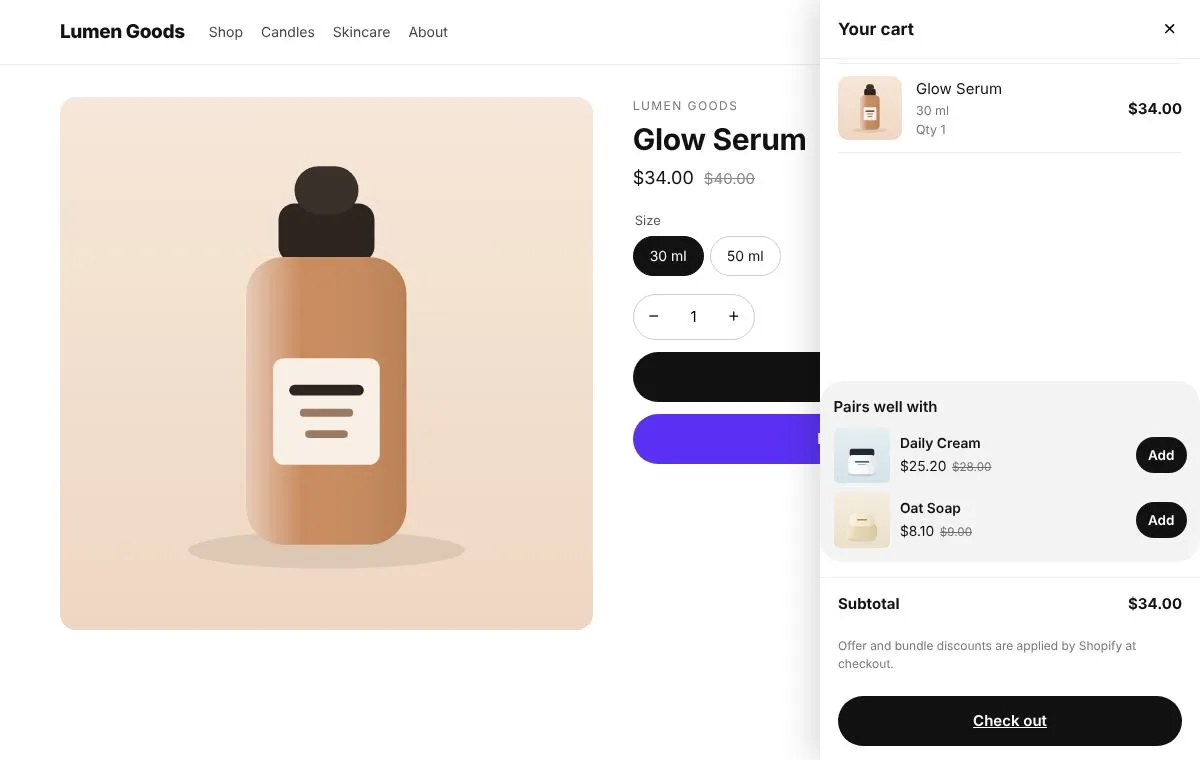 Offers in your theme's cartCross sell offers inside your theme's own cart drawer.
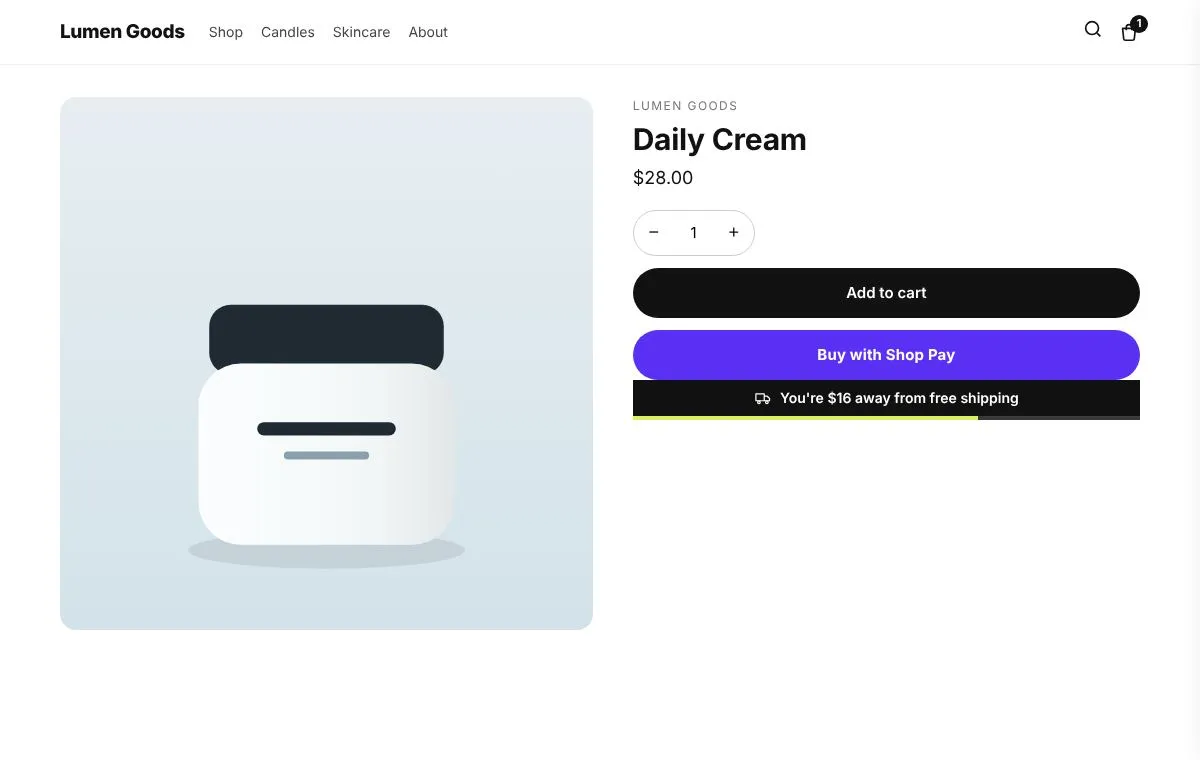 Free shipping barShows how much more to spend for free shipping, in the cart and at the top of the store.
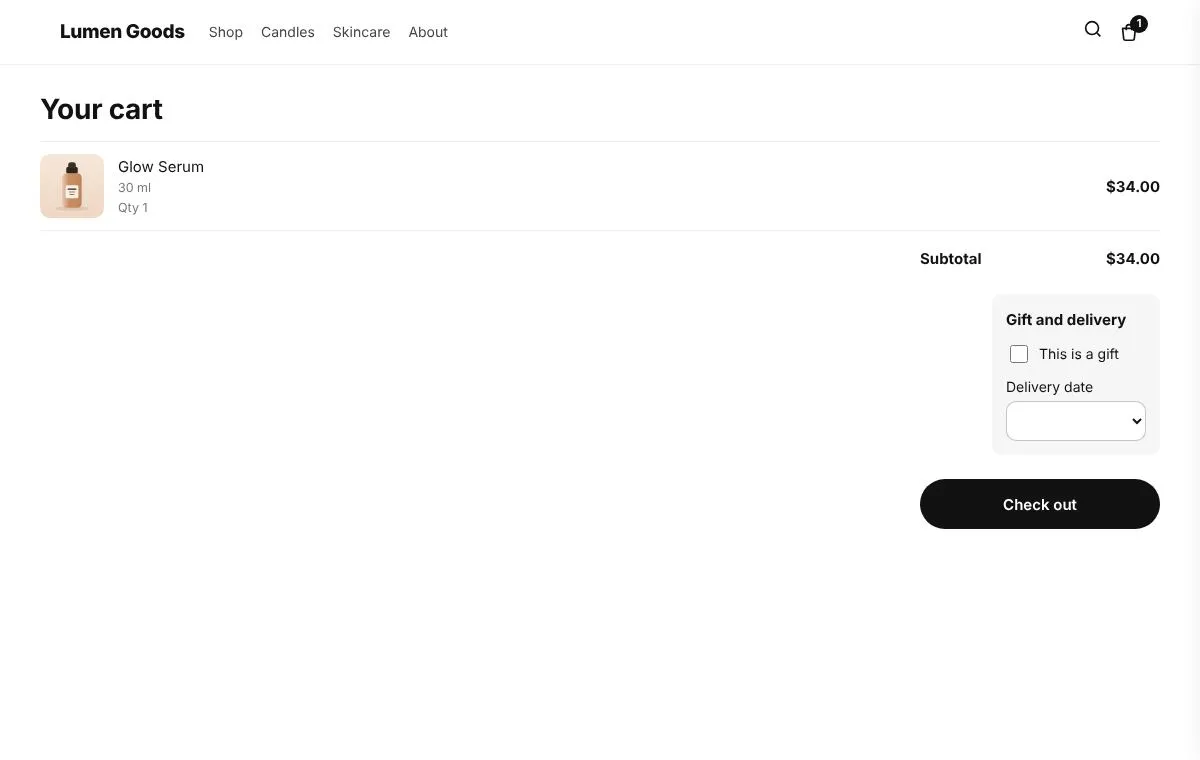 Gift note & delivery date"This is a gift", a gift message and a delivery date picked in the cart, all saved on the order.
Be first to install CRO Toolbox
CRO Toolbox is on its way to the Shopify App Store. The install button on this site will go straight to the listing the day it's live, with the Free plan and a 14 day trial on every paid plan.