Shopify bundles app: every way to sell products together
A bundles app lets shoppers buy several products together for one price or a discount, and makes sure Shopify charges that price at checkout and counts each item's stock. CRO Toolbox has 6 bundle types on Shopify (frequently bought together, fixed bundle, mix and match, build your own bundle, tiered bundle and fixed price bundle) plus quantity breaks, in one app.
Last updated
What a Shopify bundles app does
A bundle sells products together: a gift set, a starter kit, a box the shopper fills, or any 3 for one price. The app shows the bundle on your store, lets shoppers pick the items when the bundle allows it, and passes the bundle price to Shopify so the shopper pays exactly what the page said.
Two things decide whether a bundles app works for you: the bundle types you need, and what happens at checkout (the price, and the stock of each item).
How CRO Toolbox does bundles
- Six ways to bundle: frequently bought together, a fixed bundle sold as one product, mix and match, build your own bundle, a tiered bundle and a fixed price bundle
- Shopify prices the bundle at checkout and each picked item's stock goes down
- One price, a percentage off, or tiers by item count
- The app can create and publish the bundle product and its store page for you
- Every bundle type is included on the Free plan, within its offer slots
- Pro: start and end a bundle offer at set times in your store's time zone (a bundle sold as its own product stays on until you switch it off)
Every bundle type has its own editor with numbered steps on the left and a live preview on the right, using your real products and prices.
Mix and match bundles
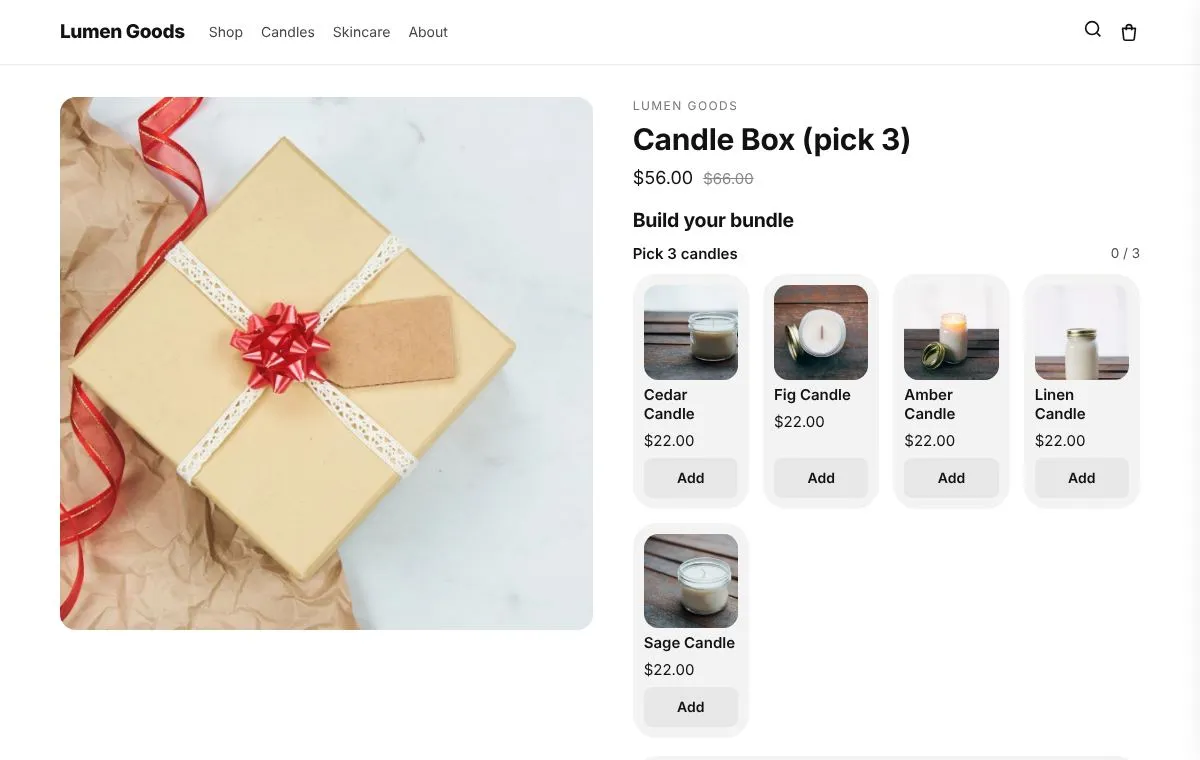
In a mix and match bundle the shopper fills a box from a collection, for example any 3 candles. You set how it is priced: one price for the box, a percentage off the picks, or tiers by item count such as any 3 for $30 and any 6 for $55.
- Open Bundles → Create bundle and choose Mix and match.
- Let the app create and publish the bundle product for you, or pick one you have.
- Add steps, for example "Pick 3 candles" (min 3, max 3). A step can use a whole collection.
- Choose the price: one price, a percentage off, or tiers.
- Click Add to theme in the editor's "Get it on your store" card once.
Full walkthrough: mix and match bundles on Shopify.
Quantity breaks
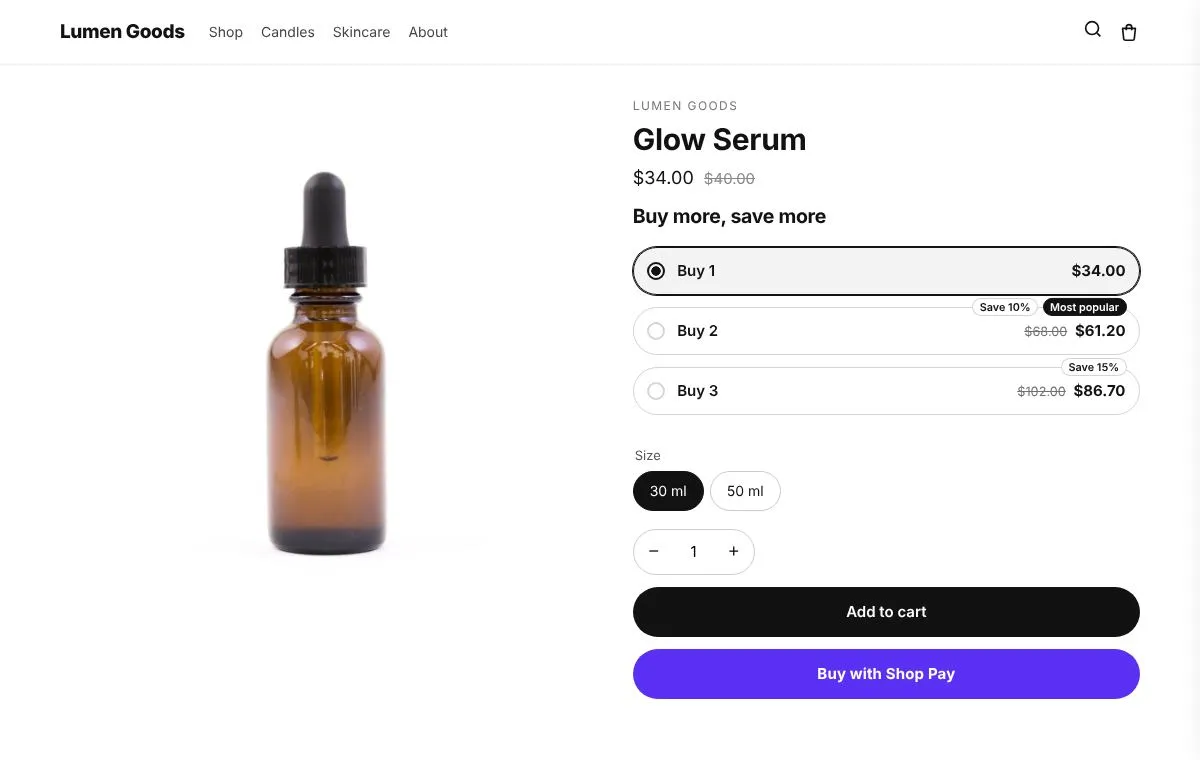
Quantity breaks are bundles of one product: Buy 2, save 10% and Buy 3, save 15%. In CRO Toolbox they are upsell offers, with a size picker per item so Buy 2 can be one M and one L. See Shopify upsell app.
What happens at checkout
Customers pay exactly the bundle's price. At checkout a bundle the shopper built is split into the items they picked, so each item's stock goes down and the items appear on the order; in the cart the picks show as one bundle line. A fixed bundle is one product made with Shopify's own bundles, and Shopify tracks its stock from its items.
Bundle prices and stock tracking need the app installed from the Shopify App Store (or a Shopify Plus store).
The 6 bundle types
| Bundle type | What shoppers get | Best for |
|---|---|---|
| Frequently bought together | A set of items shown on each item's page, with a discount when they're bought together. | Accessories that go with a product |
| Fixed bundle (sold as one product) | A ready made set with its own page, picture and price; the cart shows it as one line. | Gift sets, starter kits and multipacks |
| Mix and match | Shoppers pick items from a collection on the bundle's own page, for one price. | Build your own box |
| Build your own bundle | Shoppers add items to their bundle from collection pages while a tray follows them. | Big catalogues and long collections |
| Tiered bundle (buy more, save more) | The more items shoppers add, the bigger the discount (2 items 10% off, 3 items 15%…). | Bigger orders |
| Fixed price bundle (any 3 for $30) | Any 3 for $30, any 6 for $55, picked from a long collection. | Socks, candles and snacks |
Every bundle type is on the Free plan and above. Try each one on the demo store below.
Which plan you need
| Feature | Plan | Price and limits |
|---|---|---|
| Bundles | Free and above | Free: 3 offers on at once, 50 orders a month |
| Upsell offers | Free and above | Free: 3 offers on at once, 50 orders a month |
| Discounts | Free and above | Free: 3 offers on at once, 50 orders a month |
Prices in US dollars, billed by Shopify. Every plan and its limits: pricing.
See it on a demo store
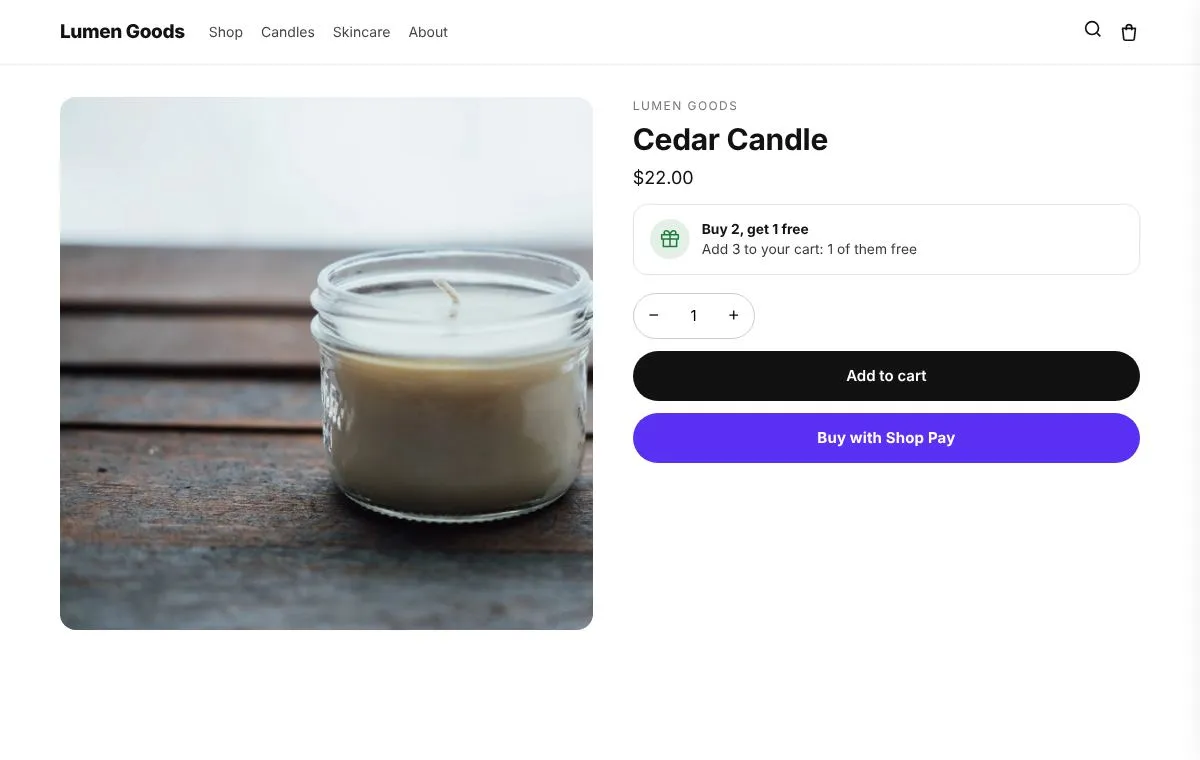
The live demos show the app's real storefront blocks on a sample store, so you can click through them before you install.
Questions
What kinds of bundles can I make on Shopify with CRO Toolbox?
6: frequently bought together, fixed bundle (sold as one product), mix and match, build your own bundle, tiered bundle (buy more, save more) and fixed price bundle (any 3 for $30). Quantity breaks on one product are upsell offers.
How does a mix and match bundle work?
The shopper picks items from a collection on the bundle's own page, for one price, a percentage off or tier prices. You set the steps, for example "Pick 3 candles", with a minimum and a maximum for each.
Does each item's stock go down when a bundle sells?
Yes. At checkout a bundle the shopper built is split into the items they picked, so each item's stock goes down and the items appear on the order. A fixed bundle is made with Shopify's own bundles, which tracks its stock from its items.
Do bundle prices work on every Shopify plan?
Bundle prices and stock tracking need the app installed from the Shopify App Store (or a Shopify Plus store).
Can shoppers build a bundle while they browse?
Yes, with the Build your own bundle type. Shoppers add items from product pages and collection pages with "+ Add to bundle", and a bundle tray follows them with each step's progress until they add the bundle to the cart.
Which plan do I need for bundles?
Every bundle type is on the Free plan. The Free plan allows 3 offers on at once and 50 orders a month; paid plans start at $5.99 a month with unlimited offers on at once. See pricing.
Be first to install CRO Toolbox
CRO Toolbox is on its way to the Shopify App Store. The install button on this site will go straight to the listing the day it's live, with the Free plan and a 14 day trial on every paid plan.