How to increase average order value on Shopify
To increase average order value on Shopify, give shoppers a clear reason to add one more item to the same order: quantity breaks, bundles, cross sells, a free shipping goal a little above your typical order, and an offer after payment. CRO Toolbox has each of these in one app, and Shopify applies every discount at checkout.
Last updated
What is average order value?
Average order value (AOV) is your sales divided by your number of orders over the same period. For example, $5,000 of sales from 100 orders is an average order value of $50. Shopify shows it in Analytics.
Raising it means more revenue from the shoppers you already have, without paying for more visits.
8 ways to raise it
- Quantity breaks on your best sellers: Buy 2, save 10%; Buy 3, save 15%. See upsells.
- Bundles: a frequently bought together box, a fixed set, or a box the shopper fills. See bundles.
- Cross sells: products that pair well, on the product page and in the cart. See cross sells.
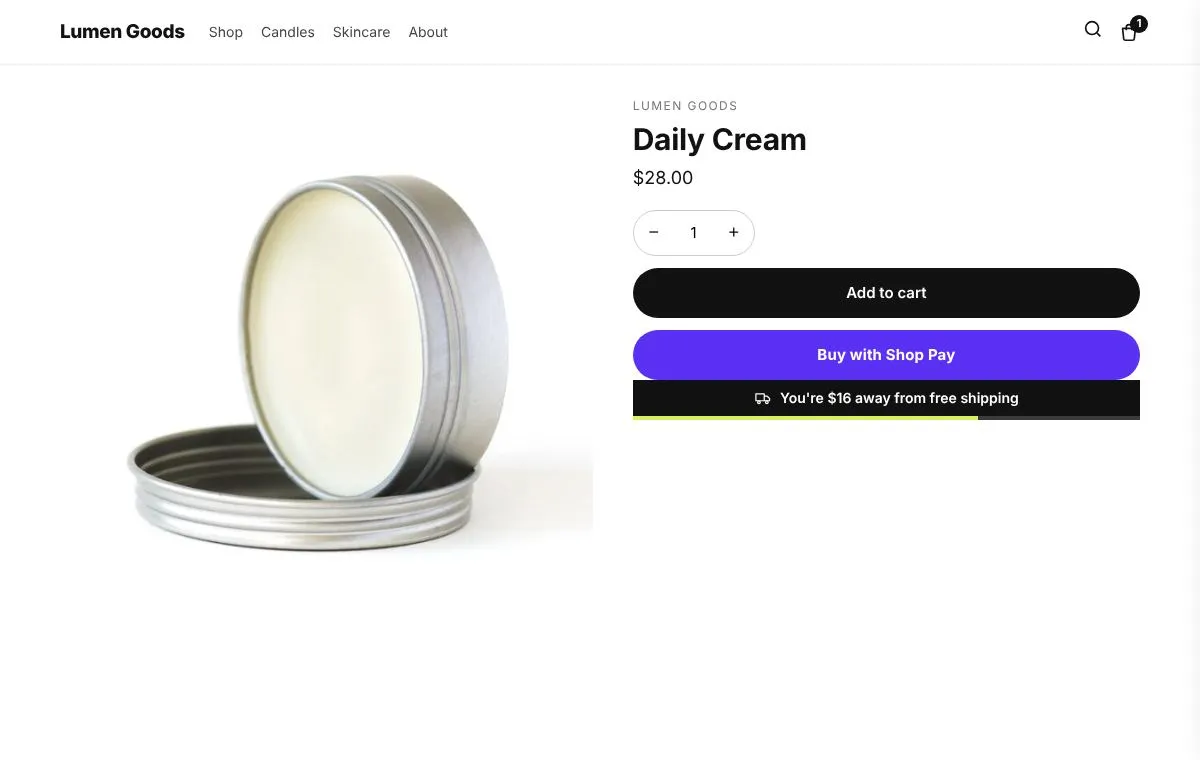
- A free shipping goal a little above your typical order, so the bar shows a reachable next step.
- Volume discounts, buy X get Y and a gift with purchase, applied at checkout.
- Add ons under Add to cart, such as gift wrapping with a gift message.
- An offer after payment: one product at a discount, added to the paid order in one click.
- A discount code for the next order on the thank you page, for the second order rather than this one.
Where to start
Most stores set these up in this order, and change one thing at a time so they can see what each change does:
- Install CRO Toolbox and turn on the app embed.
- Create a quantity break offer for your best seller.
- Add a frequently bought together bundle on two products that sell together.
- Set the free shipping goal a little above your typical order and check a test order at checkout.
How to tell if it works
Compare average order value in Shopify's Analytics before and after a change, over the same number of days.
CRO Toolbox's Analytics shows sales from the app's offers and widgets over the last 30 days compared with the 30 before, with results for each offer and each bundle. The holdout test, on the Growth plan and above, shows a share of shoppers no app widgets so you can compare what shoppers with and without them spend.
Which tool does what
| Tool | How it raises order value | Where it shows | Plan |
|---|---|---|---|
| Quantity breaks | More of the same product, at a lower price per item | Product page | Free |
| Bundles | Several products together for one price or a discount | Product page or the bundle's own page | Free |
| Cross sells | A product that goes with the one in the cart | Product page, cart page, cart drawer | Free |
| Free shipping bar | A spending goal shoppers can see | Cart and the top of the store | Free |
| Discounts | Volume discounts, buy X get Y, a gift once the cart reaches an amount | Product page and checkout | Free |
| Add ons | Small extras ticked under Add to cart | Product page | Starter ($5.99 a month) |
| After purchase offer | One more product after payment, in one click | Right after payment | Free |
| Thank you page | A discount code for the next order | Thank you page | Free |
Which plan you need
| Feature | Plan | Price and limits |
|---|---|---|
| Upsell offers | Free and above | Free: 3 offers on at once, 50 orders a month |
| Bundles | Free and above | Free: 3 offers on at once, 50 orders a month |
| Cross sell offers | Free and above | Free: 3 offers on at once, 50 orders a month |
| Free shipping bar | Free and above | Free: 3 offers on at once, 50 orders a month |
| Discounts | Free and above | Free: 3 offers on at once, 50 orders a month |
| After purchase offer | Free and above | Free: 3 offers on at once, 50 orders a month |
Prices in US dollars, billed by Shopify. Every plan and its limits: pricing.
See it on a demo store
The live demos show the app's real storefront blocks on a sample store, so you can click through them before you install.
- Quantity breaks demo (opens in a new tab)
- Bundles demo (opens in a new tab)
- Cross sell demo (opens in a new tab)
- Free shipping bar demo (opens in a new tab)
- After purchase offer demo (opens in a new tab)
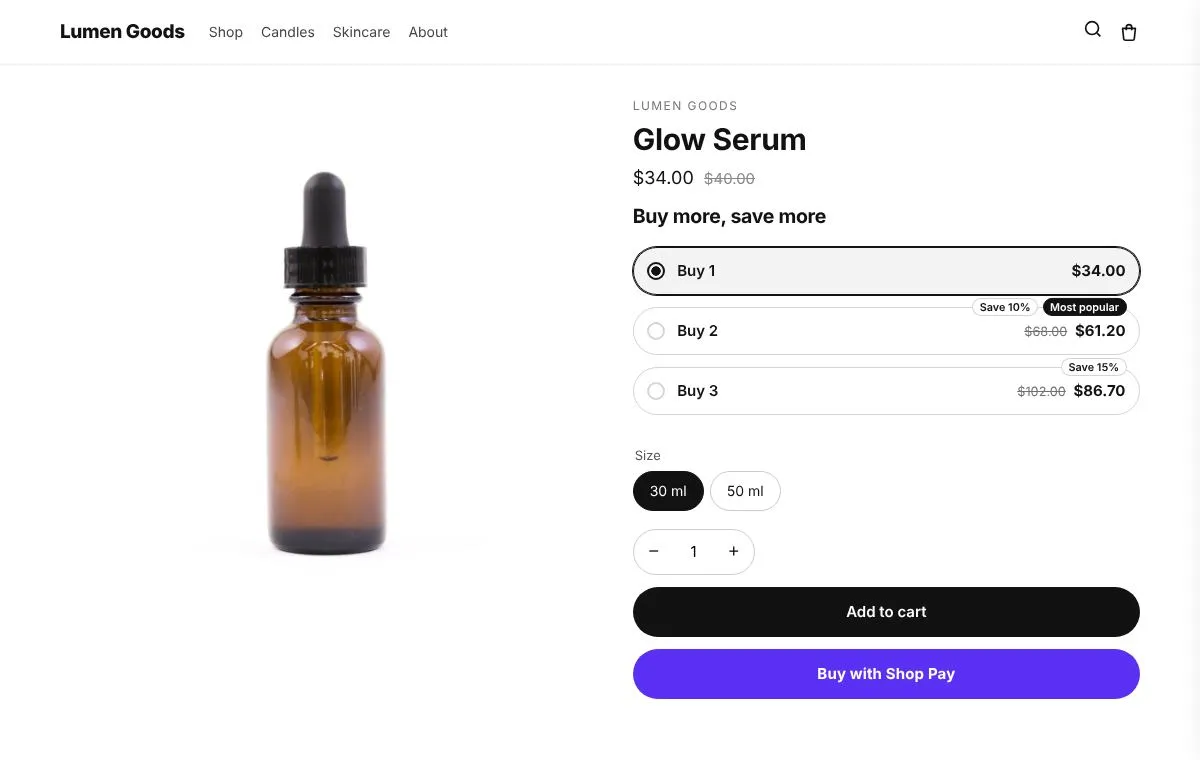 Upsell offers"Buy 2, save 10%", bigger sizes and upgrades to a better option.BundlesFrequently bought together, fixed bundles, mix and match, build your own, tiered and fixed price bundles.
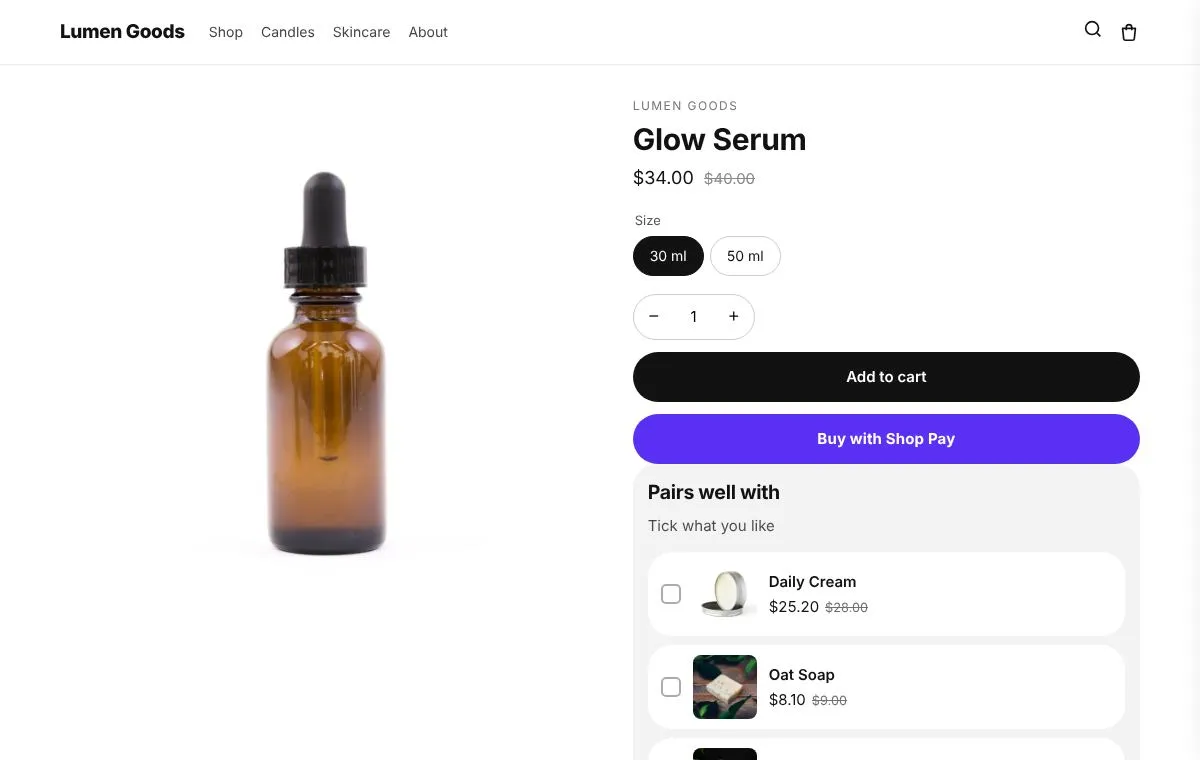 Cross sell offers"Pairs well with" products shoppers tick and add in one click.Free shipping barShows how much more to spend for free shipping, in the cart and at the top of the store.
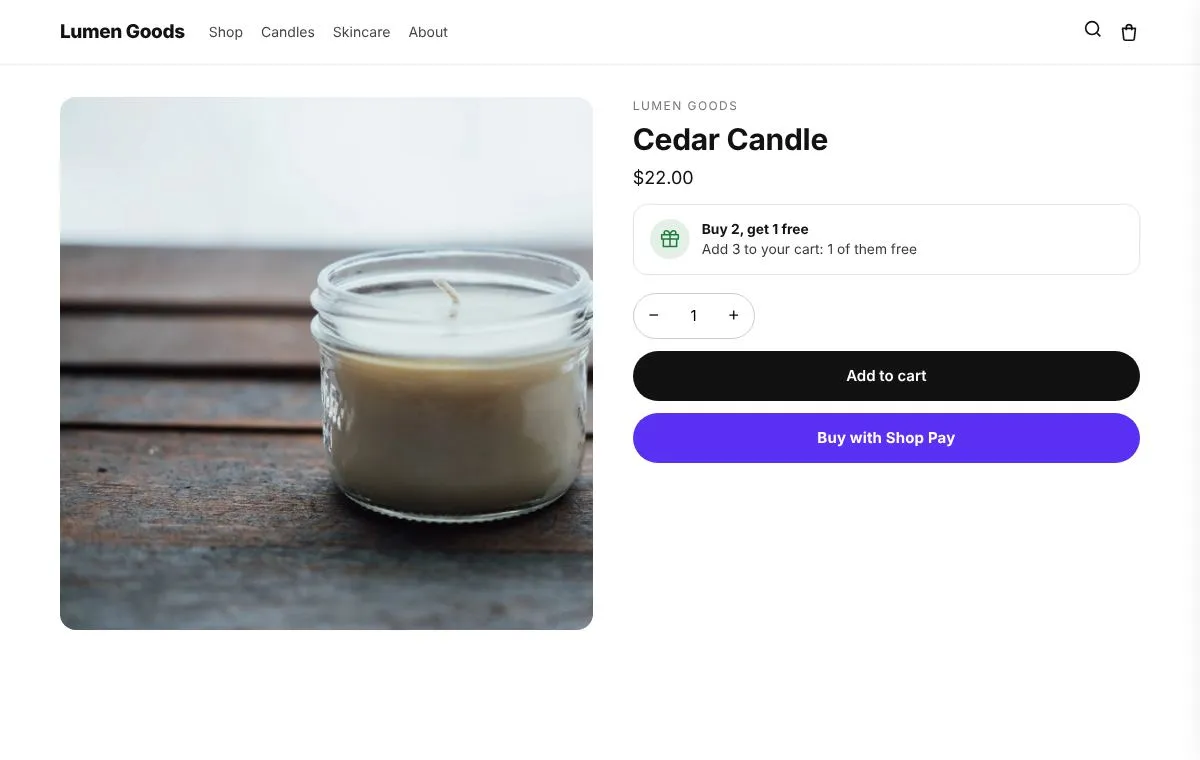 DiscountsBuy X get Y, volume discounts and a gift with purchase, applied at checkout.
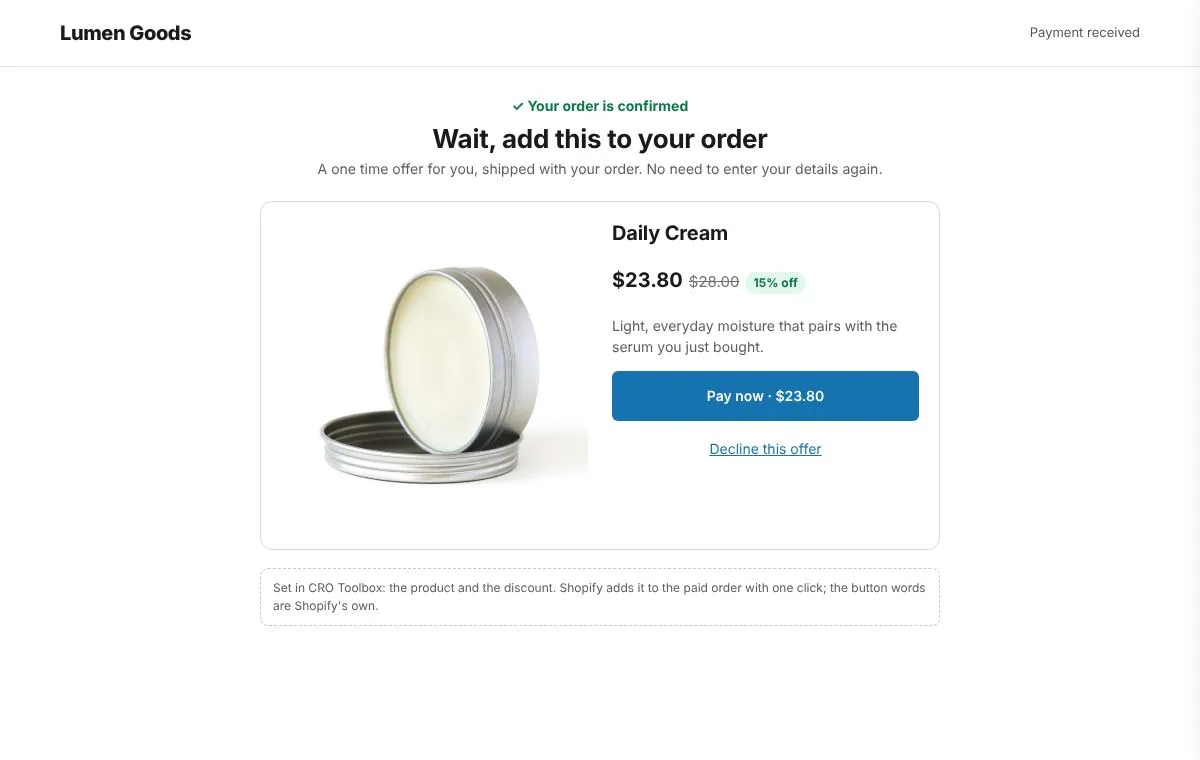 After purchase offerA one click offer shoppers can add right after paying.
Questions
What is average order value on Shopify?
Your sales divided by your number of orders over the same period. $5,000 of sales from 100 orders is an average order value of $50. Shopify shows it in Analytics.
What is the easiest way to increase average order value?
A free shipping goal set a little above your typical order and quantity breaks on your best sellers are quick to set up and easy for shoppers to understand. Change one thing at a time so you can see what each change does.
Can I raise average order value without discounts?
Yes. Cross sells can be shown without a discount, a free shipping goal costs only the shipping, add ons such as gift wrapping are sold at their own price, and a bundle can be priced at the full price of its items.
What is the difference between an upsell and a cross sell?
An upsell offers more of the same product or a better version of it. A cross sell offers a different product that goes with it. Both raise order value; see upsells and cross sells.
How do I know if a change worked?
Compare average order value in Shopify's Analytics over the same number of days before and after. CRO Toolbox's Analytics shows sales from each offer and bundle, and the holdout test (Growth plan and above) compares shoppers with and without the app's widgets.
Which plan do I need?
Upsell offers, Bundles, Cross sell offers, Free shipping bar, Discounts, After purchase offer and Thank you page are on the Free plan; Add ons is on the Starter plan. The Free plan allows 3 offers on at once and 50 orders a month; paid plans start at $5.99 a month. See pricing.
Be first to install CRO Toolbox
CRO Toolbox is on its way to the Shopify App Store. The install button on this site will go straight to the listing the day it's live, with the Free plan and a 14 day trial on every paid plan.