Shopify upsell app: more of what shoppers already want
An upsell app gets shoppers to buy more of the product they chose or a better version of it, for example "Buy 2, save 10%" or a bigger size for a small extra. CRO Toolbox does this on Shopify with quantity breaks, size upgrades, upgrade offers and a one click offer after payment, and the discounts apply at checkout.
Last updated
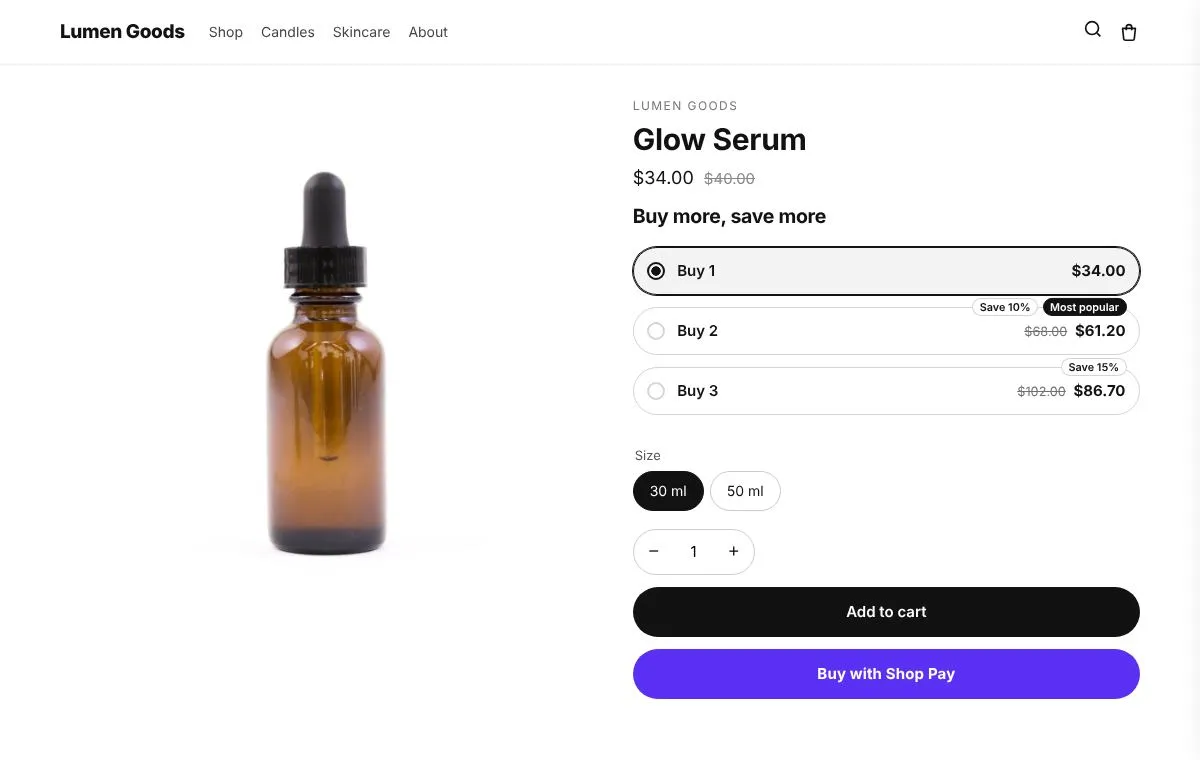
What is an upsell?
An upsell raises what one order is worth by offering more of the same product, a bigger size or a better option, at the moment the shopper is deciding. The shopper keeps the product they wanted and gets a reason to take a little more.
A cross sell is different: it offers another product that goes with the first one, like a case with a phone. CRO Toolbox does both; see Shopify cross sell and frequently bought together.
How CRO Toolbox does upsells
- Quantity breaks: tiers such as Buy 2, save 10% and Buy 3, save 15%, with an optional badge like Most popular. The tier the shopper picks sets the quantity on your normal Add to cart button.
- Size upgrades: tiers on one option, for example L saves 10% and XL saves 20%. Picking a tier switches the product to that size with your theme's own size picker.
- A size per item: Buy 2 can be one M and one L. Each size goes into the cart and the tier discount still applies.
- Upgrade offers: swap the chosen option for a better one for the price difference.
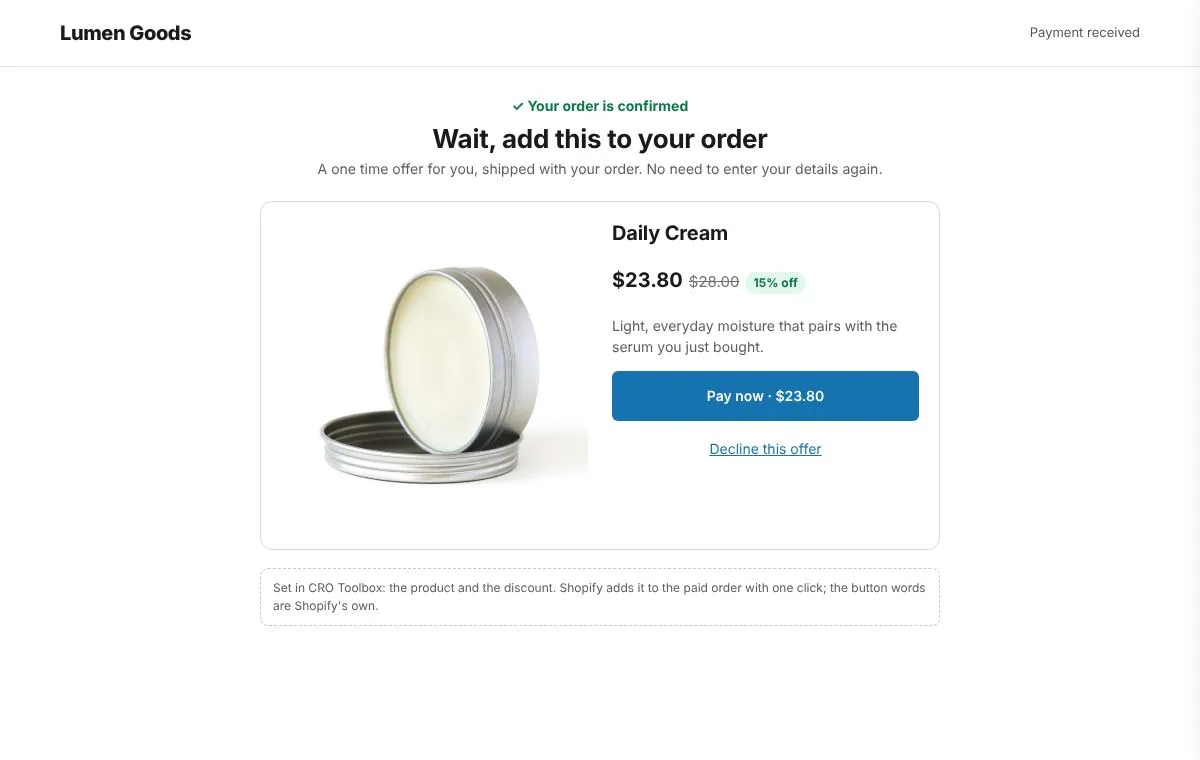
- After purchase offer: one product at a discount, added to the paid order in one click, without entering payment details again.
Every upsell is set up in the app with a live preview of your own offer, and placed in your theme with the theme editor. Your theme's code is never edited.
How to set up an upsell
- Install CRO Toolbox and open Offers → Upsell offers. Create an offer.
- Choose which products get it: all products, specific products or collections.
- Add tiers: quantity, discount, and an optional label and badge.
- Open Style, pick a ready made look and adjust colours, corners and wording with the live preview.
- Click Add to theme: the theme editor opens with the block ready. Place it and save.
At checkout the discount applies to that product once the cart reaches the tier's quantity. Different variants of the same product count together.
Upsell types in CRO Toolbox
| Upsell | What the shopper sees | Where | Plan |
|---|---|---|---|
| Quantity breaks | Buy 2, save 10%; Buy 3, save 15% | Product page | Free |
| Size upgrade | A saving on a bigger size, for example L saves 10% | Product page | Free |
| Upgrade offer | A better option for the price difference | Product page | Free |
| Volume discount | Tiers by quantity, applied by Shopify at checkout | Product page | Free |
| After purchase offer | One more product at a discount, added in one click | Right after payment | Free |
Which plan you need
| Feature | Plan | Price and limits |
|---|---|---|
| Upsell offers | Free and above | Free: 3 offers on at once, 50 orders a month |
| After purchase offer | Free and above | Free: 3 offers on at once, 50 orders a month |
| Discounts | Free and above | Free: 3 offers on at once, 50 orders a month |
Prices in US dollars, billed by Shopify. Every plan and its limits: pricing.
See it on a demo store
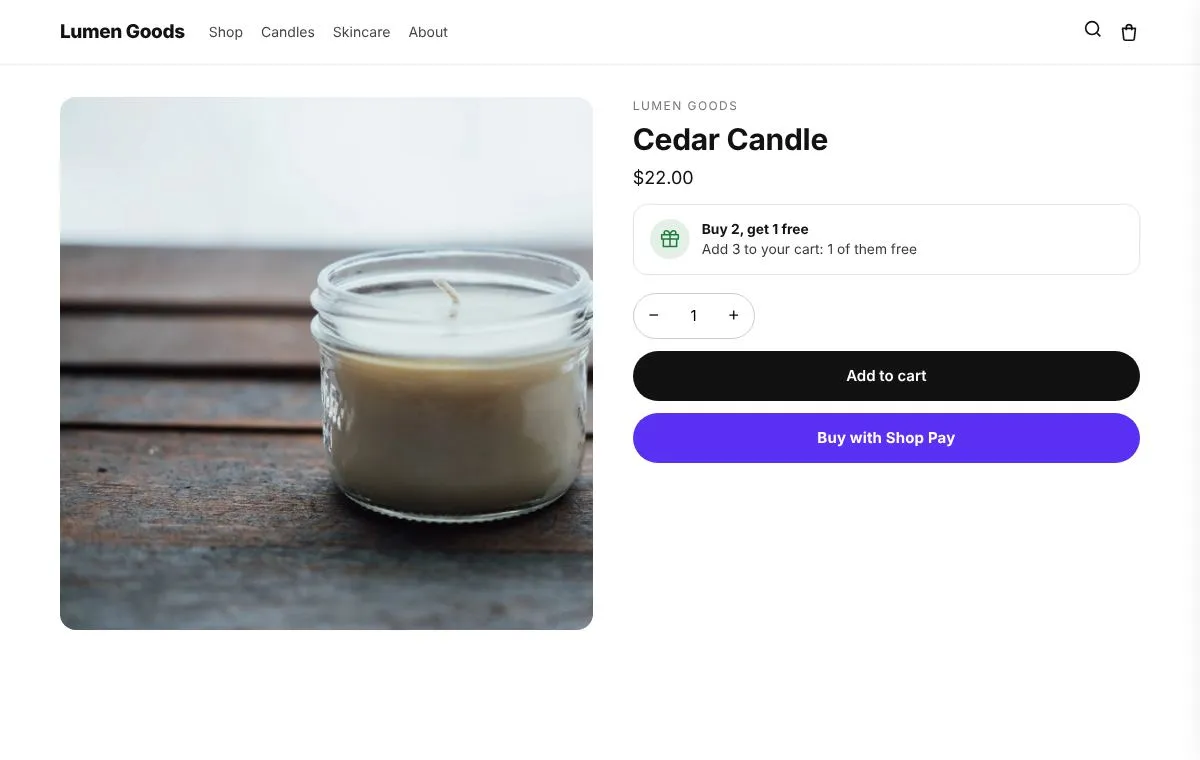
The live demos show the app's real storefront blocks on a sample store, so you can click through them before you install.
Questions
What is the difference between an upsell and a cross sell?
An upsell offers more of the same product or a better version of it: two instead of one, or a bigger size. A cross sell offers a different product that goes with it, like a case with a phone. CRO Toolbox has both: upsell offers and cross sell offers.
Does the upsell discount apply at checkout?
Yes. The shopper picks a tier, which sets the quantity on your normal Add to cart button. At checkout the discount applies to that product once the cart reaches the tier's quantity, and different variants of the same product count together.
Can shoppers choose a different size for each item?
Yes. With "Let shoppers pick a size for each item" on, choosing Buy 2 shows a size picker for each item, for example one M and one L. Your normal Add to cart adds each size and the tier discount still applies.
Which plan do I need for upsells?
Upsell offers are on the Free plan. The Free plan allows 3 offers on at once and 50 orders a month. Paid plans start at $5.99 a month, with unlimited offers on at once. See pricing.
Does it work with my theme?
Yes, with any Online Store 2.0 theme. You set up the offer in the app and place its block in the theme editor; your theme's code is never edited.
Can I offer an upsell after checkout?
Yes. The after purchase offer shows one product at a discount right after payment, and the shopper adds it to the paid order in one click without entering payment details again. You choose the product, the discount and a minimum order amount.
Be first to install CRO Toolbox
CRO Toolbox is on its way to the Shopify App Store. The install button on this site will go straight to the listing the day it's live, with the Free plan and a 14 day trial on every paid plan.