Size guide
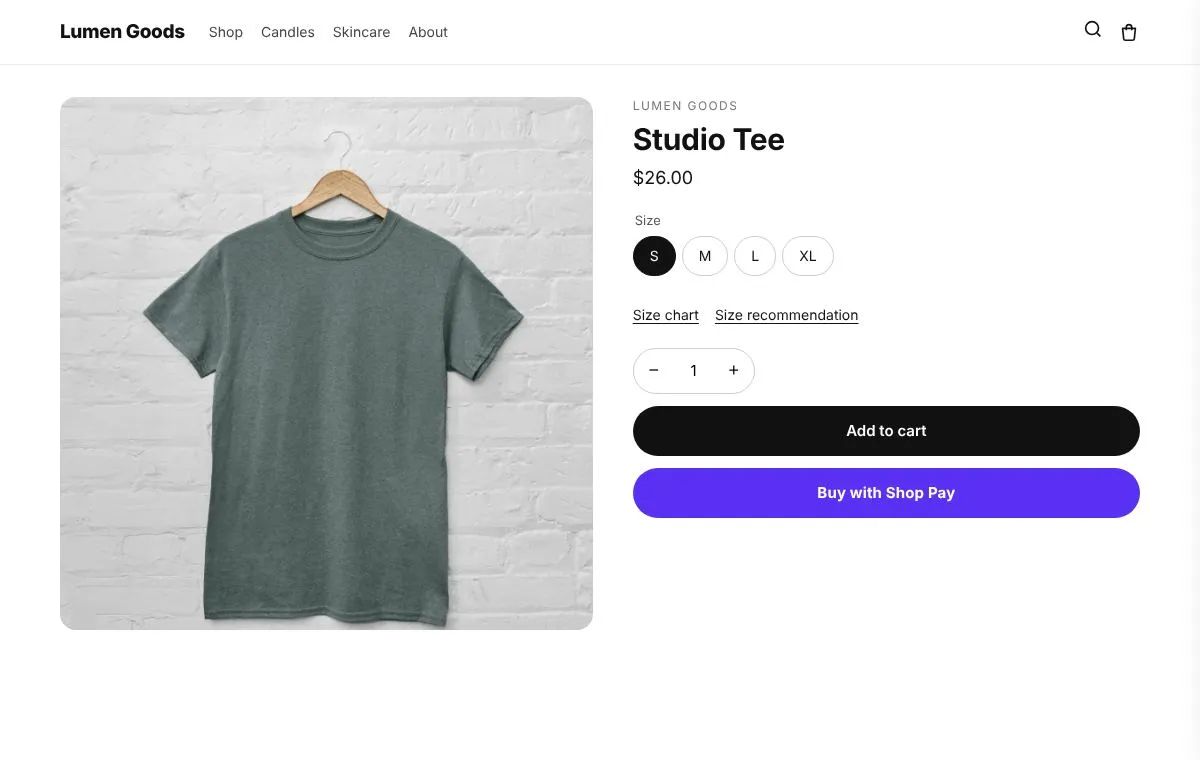
Size charts and a size finder on the product page. The finder asks the questions you pick and answers only from your own ranges and sizes.
For clothing, shoes and anything with sizes.
On the Starter plan and above
What you can set
- A size chart window with columns like chest, waist and inseam, in cm or inches
- A drawing of the garment or your own picture
- Different charts for products, collections or tags
- A size finder that asks only the questions you pick: height, weight, fit or their usual size
- Your own answers decide the size: a height and weight range per size, or “usual size → size” pairs
- Your own fit note, like “Runs large, size down”
How to set it up
- Install CRO Toolbox from the Shopify App Store.
- Open Section library → Size guide in the app, pick a template and set it up with the live preview.
- Click Add to theme: the theme editor opens with the block ready. Place it and save.
Ready made looks in the app
- Underlined links
- Outline buttons
- Blue buttons
- Soft green
Questions about Size guide
What does Size guide do in CRO Toolbox?
Size charts and a size finder on the product page. The finder asks the questions you pick and answers only from your own ranges and sizes. For clothing, shoes and anything with sizes.
Which plan includes Size guide?
On the Starter plan and above. See pricing for the limits of each plan.
Does Size guide work with my theme?
Yes, with any Online Store 2.0 theme. You set it up in the app and place it in the theme editor; your theme's code is never edited.
Guides about Size guide
Product pagesHow to add a size chart to ShopifyHow to add a size chart to Shopify product pages: with your theme's pop up block, or with an app that gives each product its own chart and a size finder.October 30, 2026 · 4 min readProduct pagesHow to reduce returns on ShopifyHow to reduce returns on Shopify: size charts and a size finder, clear product details, real reviews, honest delivery dates, and exchanges or store credit when items do come back.October 30, 2026 · 3 min readWorks well with
Be first to install CRO Toolbox
CRO Toolbox is on its way to the Shopify App Store. The install button on this site will go straight to the listing the day it's live, with the Free plan and a 14 day trial on every paid plan.