How to set up a referral program on Shopify
How a Shopify referral program works: the friend's discount, the member's reward, when to give it, how to limit abuse, and how to set it up with CRO Toolbox.
A referral program on Shopify gives each customer their own link to share. A friend who orders through the link gets a discount on their first order, and the customer who shared it gets a reward once that order is paid. To set one up, choose the friend’s discount, choose the referrer’s reward, give the reward only after the friend’s order is paid, and limit how many rewards one person can collect in a short time. Here is how to plan each part and do it with CRO Toolbox.
How does a referral program work?
- A customer (the referrer) gets a personal link.
- They share it with a friend.
- The friend opens the link and gets a discount on their first order.
- When the friend’s order is paid, the referrer gets their reward.
Both sides get something, which is why referral programs work better than asking customers to share for nothing.
What should the friend get?
The friend’s discount is what makes the link worth opening. Keep it simple and only for a first order:
- An amount off a first order, clear at a glance.
- A percent off, which scales with the order.
- Free shipping, when shipping costs are what stop first orders.
Match it to what you already offer new customers. If your email pop up gives a welcome discount, a referral discount far bigger than that will make shoppers hunt for links instead.
What should the referrer get?
The referrer’s reward should feel worth a message to a friend. Common choices are points in your loyalty program, a discount code for their next order, or store credit. Points work well when you already run a points program, because the reward joins a balance the customer already watches.
When should the reward be given?
Only once the friend’s order is paid. Giving rewards for sign ups or unpaid orders invites fake accounts. If returns are common in your store, a pending period before the reward can be spent protects you from orders that are sent back.
How do I stop referral abuse?
- First orders only for the friend’s discount.
- Rewards after payment, never for a sign up alone.
- A limit on how many referrals one member is rewarded for in a set period.
- Check the odd ones: the same address or card used again and again is worth a look.
How do I set up referrals with CRO Toolbox?
Referrals are part of the loyalty program, on the Growth plan ($19.99 a month) and the Pro plan ($39.99 a month).
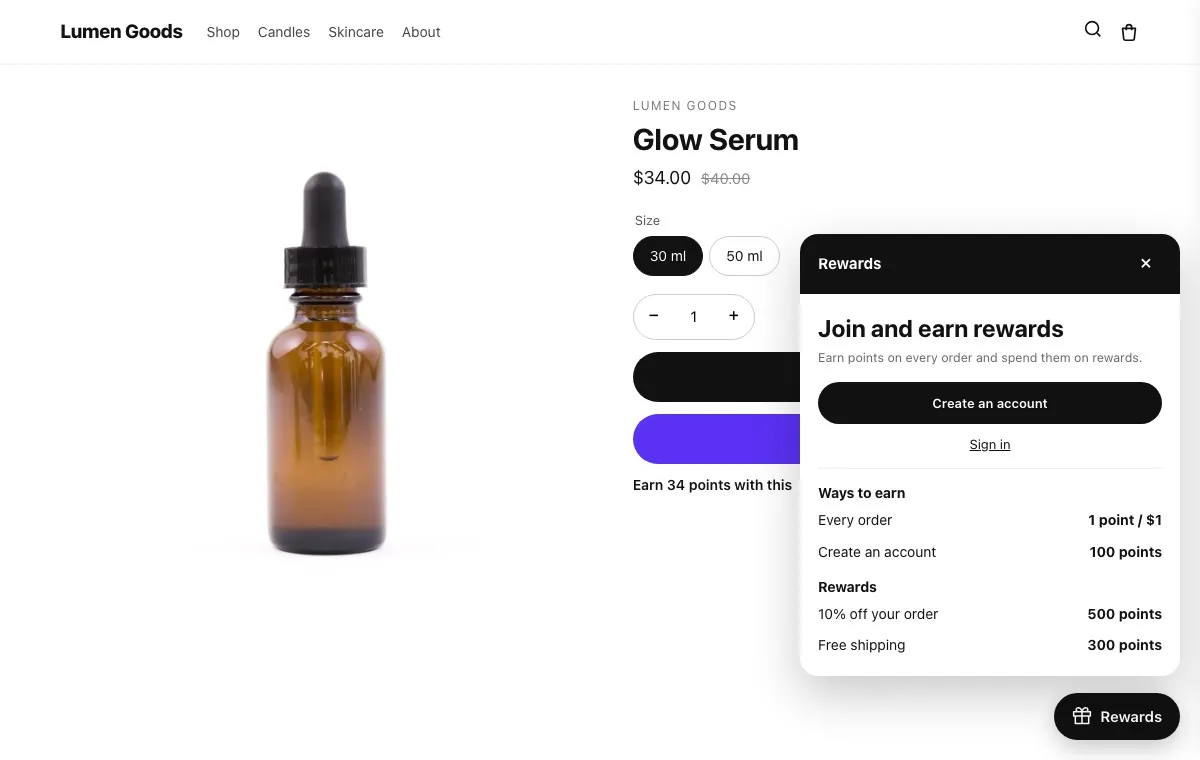
- Set up the loyalty program first: what earns points, rewards and the rewards button (see how to set up a loyalty program on Shopify).
- In the app, open Loyalty → Referrals.
- Set the friend’s discount on their first order (a percent off, an amount off or free shipping, with an optional minimum order) and the member’s gift once that order is paid (points or store credit).
- Members find their own link in the rewards panel and on the Rewards page.
Fraud rules limit how many referrals a member is rewarded for in 30 days. On Pro, affiliate codes count the sales that creators and partners bring; you pay their commission yourself. The Analytics tab of Loyalty shows referrals along with points earned and spent. Details: loyalty program help guide.
How do I get customers to share?
- Put the link where happy customers already are: the rewards panel and the Rewards page, which every member can open.
- Say both sides of the deal in one line, as the app’s default does: “Give a friend a discount on their first order. You get a gift when they order.”.
- Remind members after a good moment, such as a delivered order, rather than on day one.
Quick checklist
- A first order discount for the friend that fits your other offers
- A reward for the referrer they will notice
- Rewards only after the friend’s order is paid
- A limit per member per month
- The link visible in the rewards panel and on the Rewards page
More on the feature: loyalty program and pricing.