Shopify return policy template you can copy
A Shopify return policy template to copy and adapt: return window, item condition, return shipping, refunds, store credit, exchanges and final sale items.
A good Shopify return policy answers five questions in plain words: how long shoppers have, what condition items must be in, who pays to send them back, what they get back, and how to ask. Below is a template you can copy, fill in and paste into Shopify. After it: where the policy goes in your Shopify admin, and how to make your Returns page follow the same rules.
What should a return policy include?
- The return window. How many days shoppers have, and from which date the days count.
- The condition. Unused, with tags, in the original packaging, or whatever fits your products.
- Items that can’t be returned. Final sale, personalised items, gift cards, hygiene products.
- Who pays return shipping. The shopper, or you with a return label.
- What the shopper gets back. A refund to the original payment, and if you offer them, store credit or an exchange.
- How to ask. A link to your Returns page, not “email us”.
- Damaged or wrong items. What to do when the mistake is yours.
Keep each part short. Shoppers read a return policy to find one answer, usually “can I send this back?”.
The template
Copy the text below, replace everything in [square brackets], and delete the lines that don’t apply to your store.
Returns and refunds

Return window
You can ask for a return within [30] days of the date you placed your order.

Condition
Items must be [unused, unwashed and in their original packaging, with all tags attached].

Items that can't be returned
[Final sale items, personalised items, gift cards and (other items)] can't be returned
unless they arrive damaged or wrong.

How to ask for a return
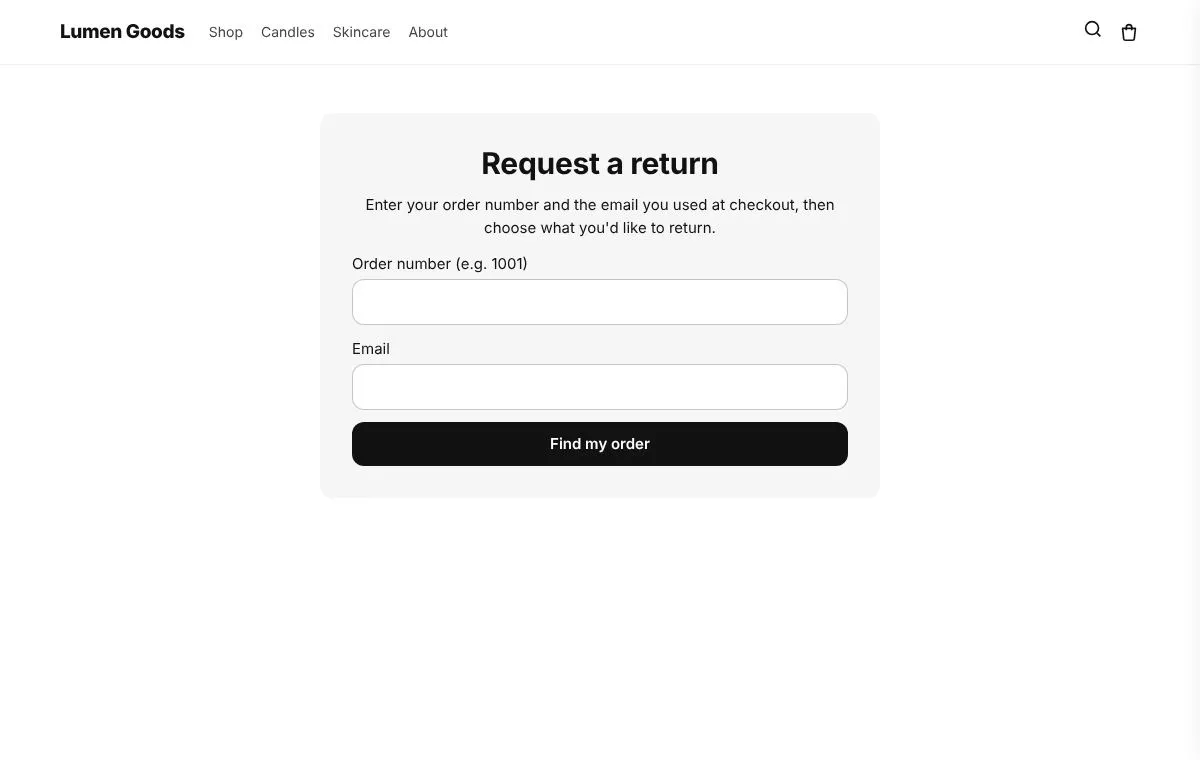
Go to our Returns page at [link to your Returns page], enter your order number
and the email you used for the order, choose the items and a reason, and send the request.
We review every request and email you when it is approved, with the address to send the
items to.

Return shipping
[Choose one:]
[You pay for return shipping and send the items back yourself.]
[We send you a return label once your return is approved.]

Refunds
Once the items arrive and we have checked them, we refund the original payment method.
Your bank or card provider may take [5 to 10] business days to show the refund.
[Original shipping costs are not refunded.]

Store credit [delete if you don't offer it]
Instead of a refund you can choose store credit, with a [10]% bonus on top of the refund
value. Store credit needs a customer account with us. [It does not expire.] [It lasts
(number) days.]

Exchanges [delete if you don't offer them]
You can exchange an item for another size or colour of the same product while it is in
stock. If the new item costs less, we refund the difference. [If it costs more, we send
you an invoice for the difference.]

Damaged or wrong items
If your order arrives damaged or you received the wrong item, contact us at [email]
within [7] days of delivery and we will put it right at no cost to you.

Questions
Email [email] and include your order number.
This template is a starting point, not legal advice. Consumer law in your country or your shoppers’ countries may give them more rights than this policy, such as a longer window for online orders or a refund for faulty goods whatever your policy says. Check the rules where you sell and adjust the text.
Where do I put it in Shopify?
- In your Shopify admin, open Settings → Policies.
- Paste your text into Return and refund policy and save.
- Add a link to the policy in your footer menu, next to your Returns page, so shoppers find both from any page.
Mention the return window on your product pages too, where shoppers are deciding to buy. A short line such as “30 day returns” near the Add to cart button answers the question before it is asked.
How does the Returns page apply your return window?
A policy only says what the rules are. With CRO Toolbox, your Returns page applies the same rules when a shopper asks for a return, so the page and the policy say the same thing.
The rules live in the app under Tracking & Returns, on the Returns page card, behind the Return rules button:
- Only recent orders can be returned. Switch it on and set Days after the order. Older orders can’t ask for a return on your page. Use the same number as in your policy.
- Products that can’t be returned. Enter product tags, separated by commas. Products with one of these tags are not offered on the Returns page. Tag your final sale and personalised products, then list those tags here.
- Approve returns automatically. Pick the reasons that are approved at once. Shopify approves the return the moment the shopper sends it and tells them how to send it back.
- Return address. Shown to the shopper once the return is approved.
- Return shipping. Choose The shopper pays and ships it themselves or A return label is sent (you add it on each return). Match the line you kept in your policy.
- Extra words (optional). For example “Pack the items in the original box.”
Each request from the Returns page becomes a real Shopify return that you approve or decline in the app, and Shopify emails the shopper. You can upload your return label for the shopper, then refund when the items arrive. More on the Returns feature and the Shopify returns app page.
How do I set up the Returns page?
- Open Tracking & Returns in the app and approve the returns permission when the app asks.
- Click Make the pages. The app creates “Track your order” and “Returns” in your store.
- Click Open the theme editor, choose Add block, CRO Toolbox, Order & wishlist pages, and save.
- Set your return rules and return address as above.
- Add the Returns page and your return policy to your menu or footer.
Each setup step turns green when it is done. The full walkthrough is in the help guide Track order and returns pages.
The Returns page is on the Growth plan ($19.99 a month, with a 14 day free trial). See pricing.
Should my policy offer store credit or exchanges?
Only if your Returns page offers them too. A policy that promises an exchange the page can’t make sends shoppers back to email.
In CRO Toolbox, store credit with an optional bonus and exchanges for another size or colour are part of Return saving rules, on the Pro plan ($39.99 a month). Refunds to the original payment stay available for every shopper, so keep the refund section of your policy as it is. For when credit makes sense and how big a bonus to give, read Store credit vs refunds on Shopify.
How often should I update the policy?
Each time a rule changes in the app. If you lengthen the window for the holidays, change the number in Return rules and in Settings → Policies on the same day. Add the date of the last change at the bottom of the policy if you change it often.
Quick checklist
- One return window, the same in the policy and in Return rules
- Final sale and personalised products tagged and listed in Products that can’t be returned
- One clear line on who pays return shipping
- A link to the Returns page in the policy, the menu or the footer
- Store credit and exchanges in the policy only if they are switched on
- The policy checked against consumer law where you sell
- A test return on your own order before you publish