Store credit vs refunds on Shopify
Store credit vs refunds on Shopify: when to offer store credit or an exchange instead of a refund, whether to add a bonus, and which rules to set.
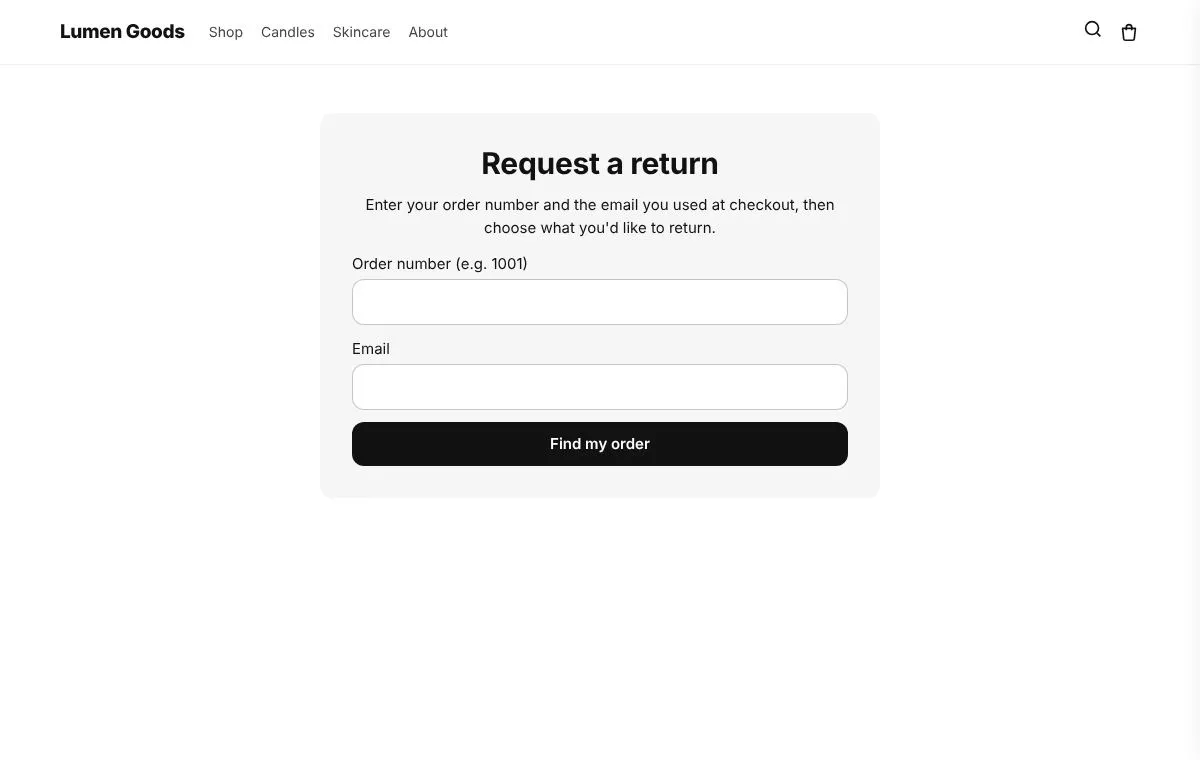
A refund sends the money back to the shopper’s card; store credit keeps it in your store for their next order; an exchange swaps the item for one that fits. A good returns flow offers credit or an exchange as a choice before the refund, often with a small bonus for choosing credit, and keeps the refund one click away. Here is when each one makes sense, which rules to set, and how to do it on Shopify with CRO Toolbox.
What is the difference between store credit, a refund and an exchange?
- Refund. The money goes back to the original payment. The sale is gone.
- Store credit. In Shopify, credit can be given as a refund to store credit on the customer’s account. The order shows the money as refunded, and the shopper spends the credit on a later order in your store.
- Exchange. The shopper sends the item back and gets another one, usually a different size or colour. The sale stays.
Credit and exchanges keep the money in your store. A refund is still the right answer in many cases, and local consumer law may give shoppers a right to one. Offer credit as an option, never as a trap.
When should I offer store credit or an exchange instead of a refund?
Offer an exchange when the product was right but the variant was wrong:
- The size doesn’t fit.
- The colour looks different in person.
Offer store credit when the shopper may want something else from you:
- A gift the person didn’t want.
- A change of mind about a product they liked enough to order.
- A shopper who orders from you often.
Make the refund easy when the mistake is yours:
- The item arrived damaged or faulty.
- You sent the wrong item.
- The order arrived much later than promised.
Pushing credit on a shopper who received a broken item costs more goodwill than it keeps in sales.
Should I add a bonus for choosing store credit?
A bonus gives the shopper a reason to choose credit over a refund. For example, a 10% bonus turns a $50 refund into $55 of credit. The extra $5 is only spent in your store, on products you sell at your own margin.
Things to weigh before you choose a number:
- Keep it small. A modest bonus is easy to understand and easy to afford.
- Show it clearly. The shopper should see the credit amount, bonus included, before they choose.
- Make it the same for everyone. One bonus for all returns is simpler to explain in your return policy.
Which rules should I set?
- When the credit is given. At once when you approve the return, or only when the items arrive. Waiting for the items protects you from credit for parcels that never come back.
- How long the credit lasts. Credit that never expires is the simplest promise. If you set an expiry, check the rules where you sell, as some places limit how store credit can expire.
- Which returns are approved at once. For example a reason such as “Wrong size”, or orders under a set value.
- What happens to the stock. Whether returned items go back into stock automatically.
Write the same rules into your return policy. The Shopify return policy template has a store credit and an exchange section you can copy.
How does CRO Toolbox handle store credit and exchanges?
CRO Toolbox’s Return saving rules add store credit and exchanges to your Returns page. They are on the Pro plan ($39.99 a month, with a 14 day free trial). The Returns page itself is on the Growth plan.
- Store credit instead of a refund, with an optional bonus. Credit is given as a refund to store credit on the customer’s account, so the order shows the money as refunded, and the bonus is added on top. The shopper sees the credit on the Returns page.
- Exchanges for another size or colour of the same product that is in stock. The shopper sees the price difference before sending. When you approve, the app makes the Shopify return with the exchange, and the new shipment waits on hold until you click Items arrived: ship the exchange. If the new item costs more (when you allow that), you send the invoice from the order in Shopify; if it costs less, the difference is refunded.
- Approve returns by rule by reason, product tag, order value and days since delivery.
- Back in stock. Returned items go back into stock at your first active location.
Refunds to the original payment stay available for every shopper.
What about guest orders?
Store credit needs a customer account on the order. On a guest order the shopper sees two choices: the normal refund to the original payment, or store credit with a Sign in to your account to get store credit step that takes them to your store’s customer account sign in and back to the Returns page. If the order still has no customer after that, they see “Store credit needs an account at checkout” and can only choose the refund. If Shopify can’t refund to store credit, the return stays approved and you refund it to the original payment with the normal Refund button.
How do I set it up?
- Set up the Returns page first: in Tracking & Returns, approve the returns permission, click Make the pages and add the Order & wishlist pages block in the theme editor. The help guide Track order and returns pages walks through it.
- Open Return saving rules. You’ll find the button in Tracking & Returns and on the Return rules page.
- Turn on Offer store credit on the Returns page.
- In Give the credit, choose When the items are received (you click “Items received”) or At once, when the return is approved.
- Set Bonus on top of the refund value as a percentage, and Credit lasts in days (0 means it never expires).
- For exchanges, turn on Let shoppers exchange for another size or colour, and Also when the new item costs more if you want to allow that.
- Under Approve returns by rule, add rules with reasons, Product tags, Order value up to and Days since delivery up to. A return that matches any rule is approved at once and gets its credit if the shopper chose it.
- Turn on Restock items when the return is processed if you want returned items back in stock.
- Save, then make a test return on your own order and check what the shopper sees.
More on the Returns feature and the Shopify returns app page.
How do I know it is working?
The Tracking & Returns page shows Return saving, last 30 days: the value kept as store credit, the value kept as exchanges, and the value refunded. Compare them month by month. If almost every shopper still picks the refund, look at how the choice is worded and whether the bonus is clear.
Quick checklist
- Exchanges for size and colour returns
- Store credit as a choice, with the refund always available
- A small bonus, shown clearly
- Credit given when the items arrive, if parcels sometimes don’t come back
- An expiry you can defend, or none at all
- The same rules written into your return policy
- A test return on a guest order and on an order with a customer account